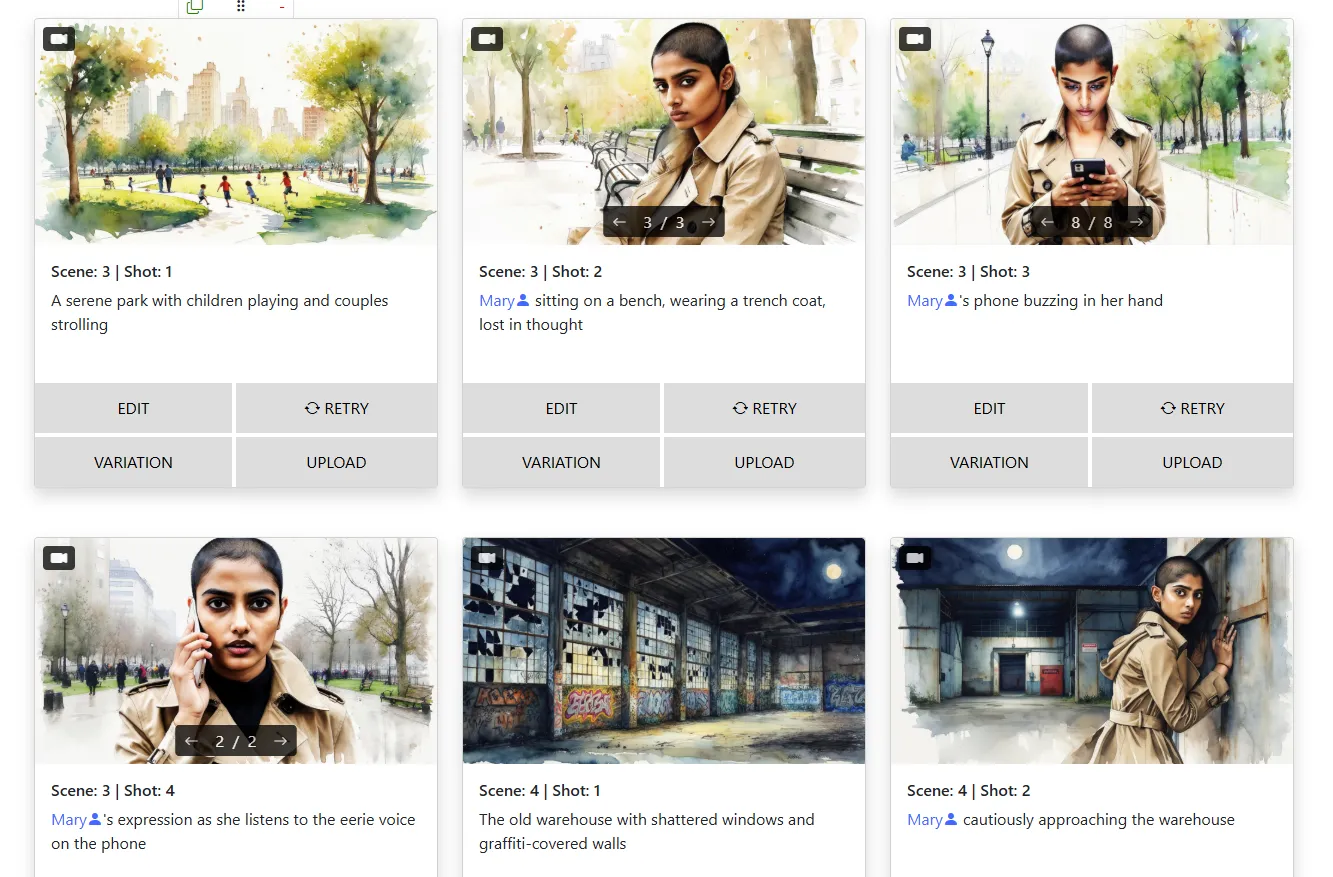
Picture this. You've spent an hour crafting the perfect opening sequence. Your lead is a badass detective -- trench coat, clean-shaven head, a gaze that could cut through steel. Frame one looks incredible. Frame two? She's suddenly blonde. Frame three? Ponytail. Frame seven? Full medieval armor. That's not a creative choice. That's AI doing whatever it wants, and it's the single most frustrating thing about generating storyboards with artificial intelligence.
If you've been there, you're not alone. Character consistency is the number one challenge people face when they start using AI for visual storytelling. But here's the thing -- it's also a completely solvable problem. You just need the right approach and the right tools.
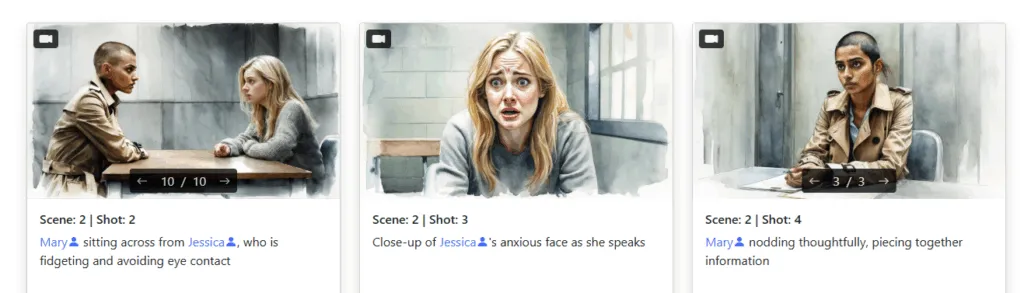
Let's be honest about what a storyboard actually is. It's not a collection of pretty pictures. It's a sequence -- a visual narrative where every frame connects to the next. And the thread that holds those frames together? Your characters.
When a character's face changes between shots, or their hair shifts color, or their outfit morphs from scene to scene, you don't have a storyboard anymore. You have a mood board at best. A mess at worst. The audience -- whether that's a producer reviewing your pitch, a client approving a commercial concept, or your own team trying to plan a shoot -- needs to follow the story. And they can't follow a story if they can't even tell who's in it.
Consistent characters are what separate professional storyboards from random AI-generated images thrown onto a timeline. They're the difference between "I can see this film" and "what am I looking at?" So let's talk about how to actually nail this.
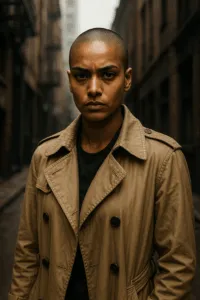
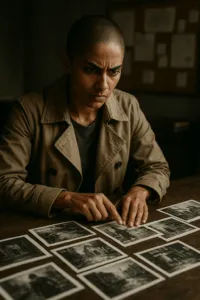
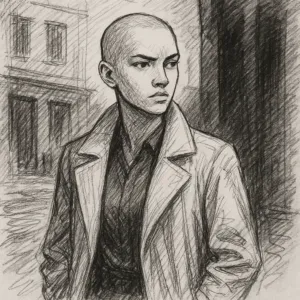
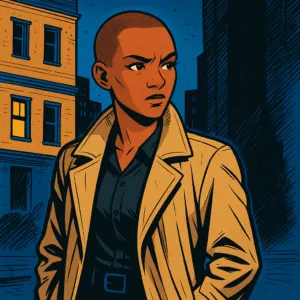
This is where most people go wrong right out of the gate. They type something vague like "young woman" or "tough guy" and wonder why the AI keeps giving them a different person every time. The AI isn't psychic -- it needs specifics to latch onto.
Instead of "young woman," try: "Young South Asian woman, clean-shaven head, sharp jawline, wearing a beige trench coat over a black turtleneck, intense brown eyes." The more visual anchors you give the AI, the more it has to work with across frames. Think of it like casting notes for an actual actor -- you wouldn't hand a casting director a Post-it that says "someone cool." Be precise.
Words are powerful, but a picture is worth a thousand prompts. Upload a clear reference portrait of your character and use it as the visual foundation for every scene. Storyboarder.ai's Face-Lock feature takes this a step further -- it locks your character's facial features across frames so the AI doesn't "drift" into generating a completely different person mid-sequence. Think of it as pinning your character's identity in place. Upload once, lock it in, and generate with confidence knowing that face will stay consistent from the opening shot to the final frame.
Here's a subtle one. Even when the face stays consistent, characters can still feel "off" if their clothing keeps changing randomly. Maybe your detective wears the trench coat in outdoor scenes but takes it off when she's at her desk. That's intentional. The AI generating a completely different outfit every frame? That's not.
Use the Clothes & Accessories section in Storyboarder.ai to define exactly what your character is wearing in each scene. This way you get deliberate wardrobe changes when the story calls for them, and rock-solid consistency when it doesn't.
Not every generated frame will be perfect on the first try -- and that's fine. The key is knowing when to use Retry versus Iterate. Retry gives you a fresh take with new AI creativity. It's great when a frame is fundamentally off and you want a clean slate. Iterate, on the other hand, is for refinement. It takes what you already have and nudges it in a new direction based on your feedback.
For example, say you've got a great close-up of your detective but the lighting feels too flat. Instead of retrying and risking a completely different face, use Iterate and type something like: "Same woman, same trench coat, add dramatic side-lighting." That's how you keep the visual thread running while still improving the frame.
Sometimes the AI gets 90% of the way there but adds a weird detail -- a ponytail that shouldn't be there, a missing accessory, a shirt color that's slightly off. Instead of regenerating the entire frame and losing everything that was working, use the InEdit tools to surgically fix the problem.
The Eraser tool removes unwanted elements cleanly. InPaint lets you select an area and regenerate just that portion -- so you can add a missing hat, fix a collar, or change a background element without touching the rest of the frame. It's the kind of granular control that turns "close enough" into "exactly right."
Want the ultimate level of control over a pose, camera angle, or scene layout? Use Sketch-to-Image or Image-to-Image upload features. Rough out a stick figure in the pose you need, sketch a basic composition, or upload a photo reference for the framing you're after -- then let the AI render it into a polished storyboard frame while keeping your character intact.
This approach is a game-changer for action sequences or complex blocking where you need specific body positioning. You're essentially directing the AI the same way you'd direct an actor on set -- showing it exactly where to stand, how to move, and what the camera sees. Director-level control, no art department required.
AI-generated storyboards don't have to look like a casting call gone wrong. With detailed character descriptions, reference images locked in with Face-Lock, scene-specific wardrobe definitions, smart use of Iterate and Retry, and surgical fixes with InEdit tools, you can produce entire sequences where your characters look like themselves in every single frame. That's the bar. That's what makes an AI storyboard actually useful instead of just impressive-looking. Give these techniques a spin on Storyboarder.ai -- and keep your trench coats straight, your faces familiar, and your storytelling sharp.
The complete guide — location drift, wardrobe changes, camera angles, unwanted characters, logos, and the features that fix them all.
Read Article →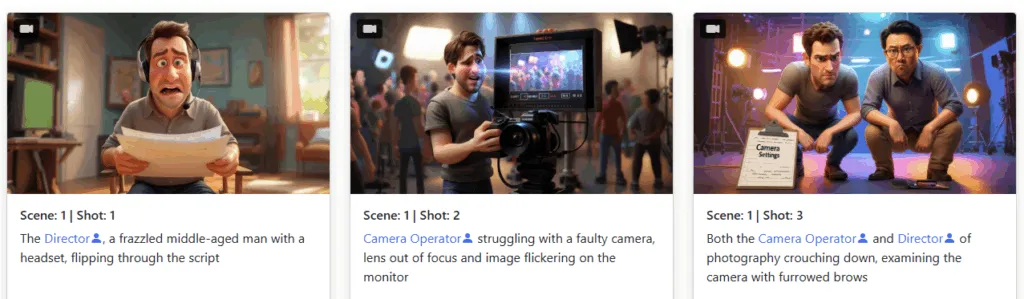
Avoid the most common storyboarding pitfalls with these AI-powered solutions.
Read Article →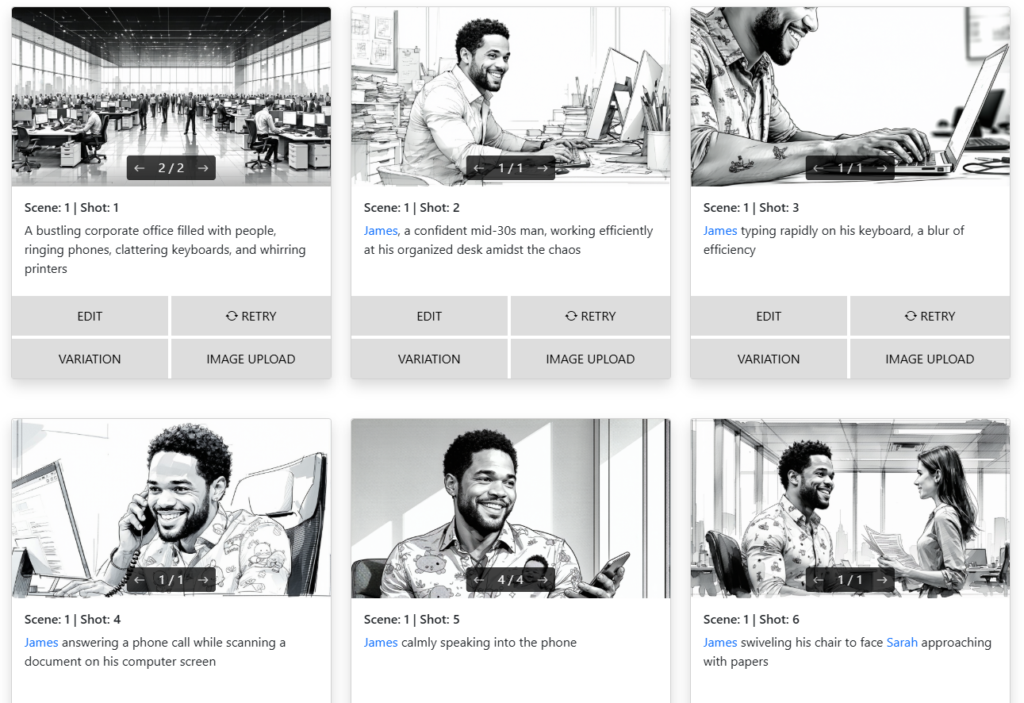
Learn how to storyboard your film or video project using AI — no drawing required.
Read Article →